> For the complete documentation index, see [llms.txt](https://help.stockeo.solvenium.com/llms.txt). Markdown versions of documentation pages are available by appending `.md` to page URLs; this page is available as [Markdown](https://help.stockeo.solvenium.com/data-mapping/status.md).
# Status
Stockeo allows you to define the status of products processed by an automation. It supports all product statuses available in the current Shopify API version:
* **Active**
* **Draft**
* **Archived**
* **Unlisted**
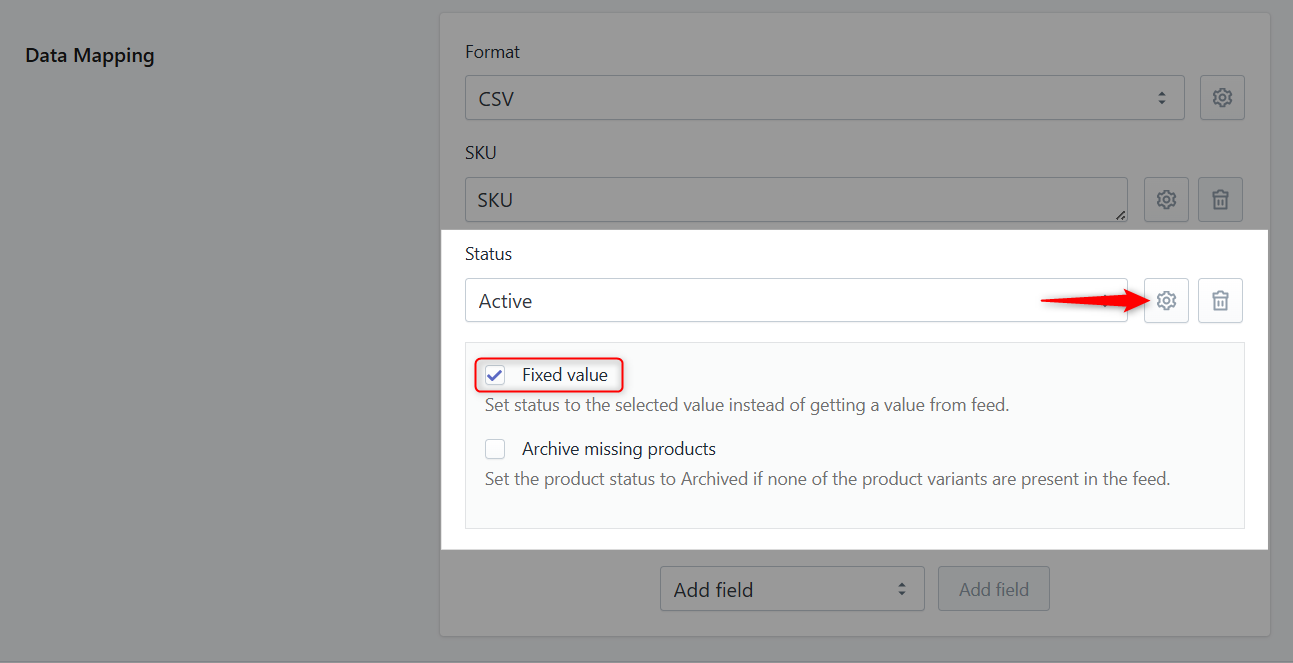
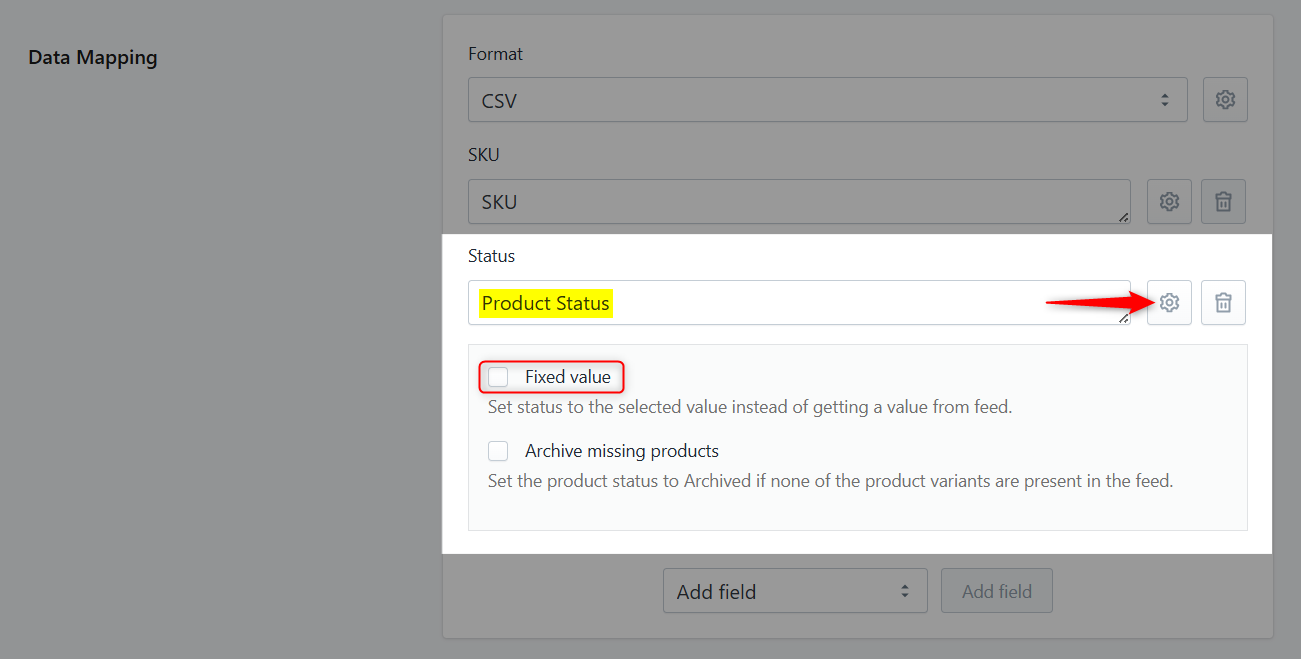
You can decide whether to set the same status for all processed products using a fixed value, or to retrieve the status from a specific field in the feed.
Fixed status settings in Stockeo
Stockeo mapping product status from the feed
If the status values in the feed differ from those supported by Shopify, you can use a **Liquid formula** to convert them to valid Shopify statuses.
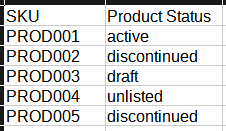
Assume the feed uses the value **`discontinued`** for products that should be archived in Shopify.
Sample product statuses from the feed
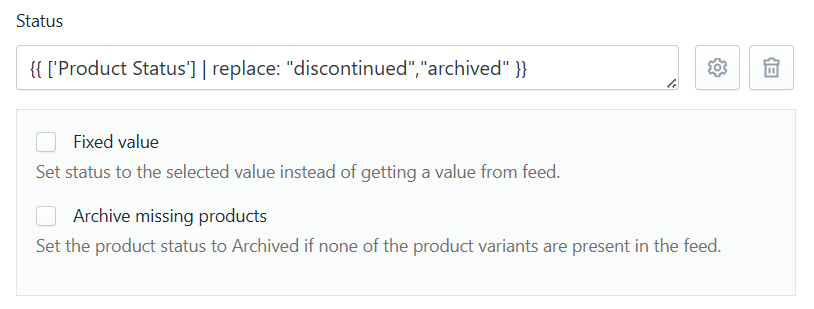
In this case, you can apply the following Liquid formula to convert the feed value to a Shopify-supported status:
```liquid
{{ ['Product Status'] | replace: "discontinued","archived" }}
```