> For the complete documentation index, see [llms.txt](https://help.stockeo.solvenium.com/llms.txt). Markdown versions of documentation pages are available by appending `.md` to page URLs; this page is available as [Markdown](https://help.stockeo.solvenium.com/data-mapping/barcode.md).
# Barcode
Stockeo allows you to update variant barcodes. Barcodes can also be used as an alternative variant identifier when product SKUs are not available in the feed or when SKUs from the feed do not match those in Shopify.
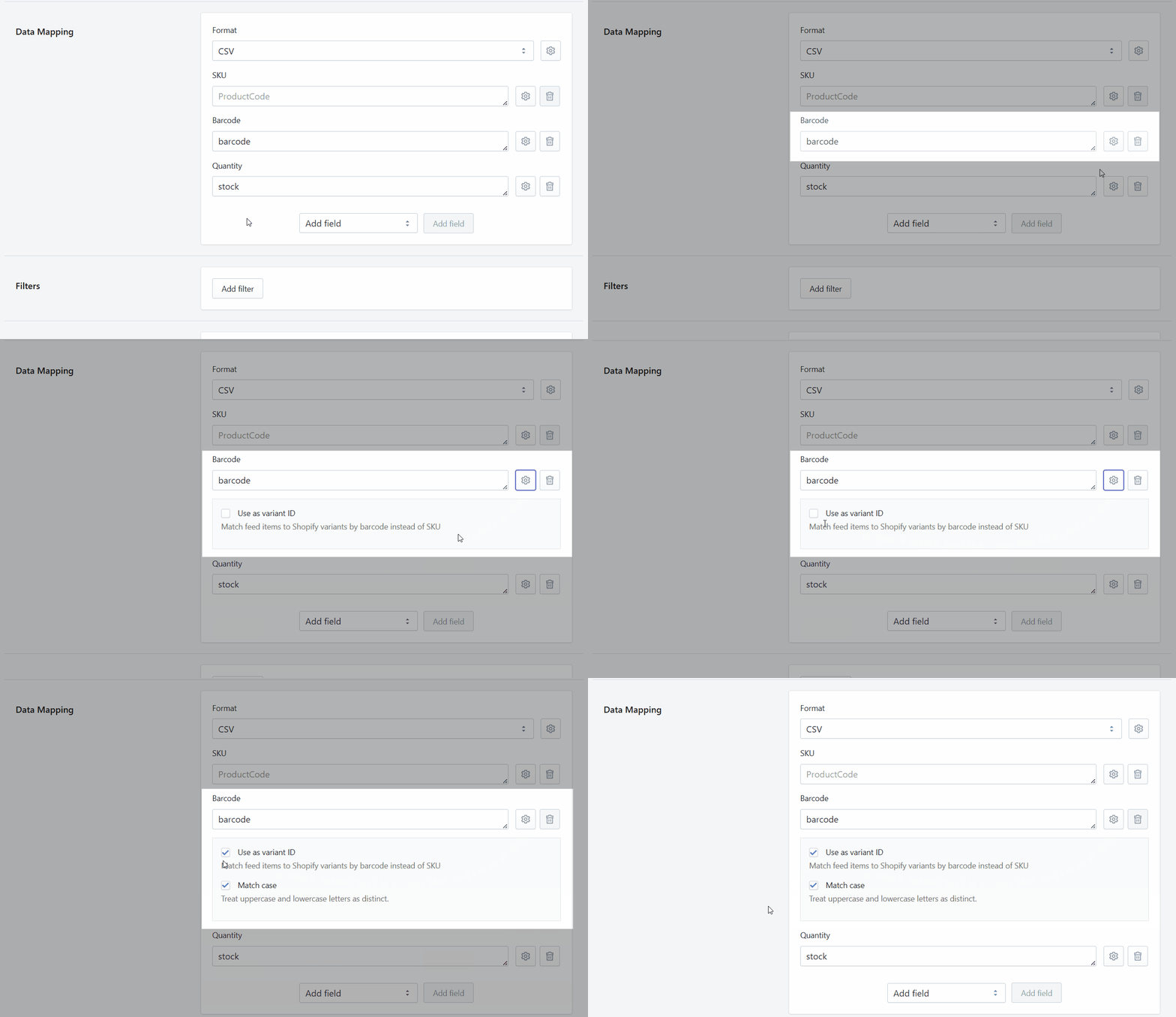
To use barcodes as the variant ID, add the **Barcode** field to the **Data Mapping** section. Then click the gear icon next to the field and enable **Use as variant ID**.
Setting a barcode as an alternative variant ID in Stockeo
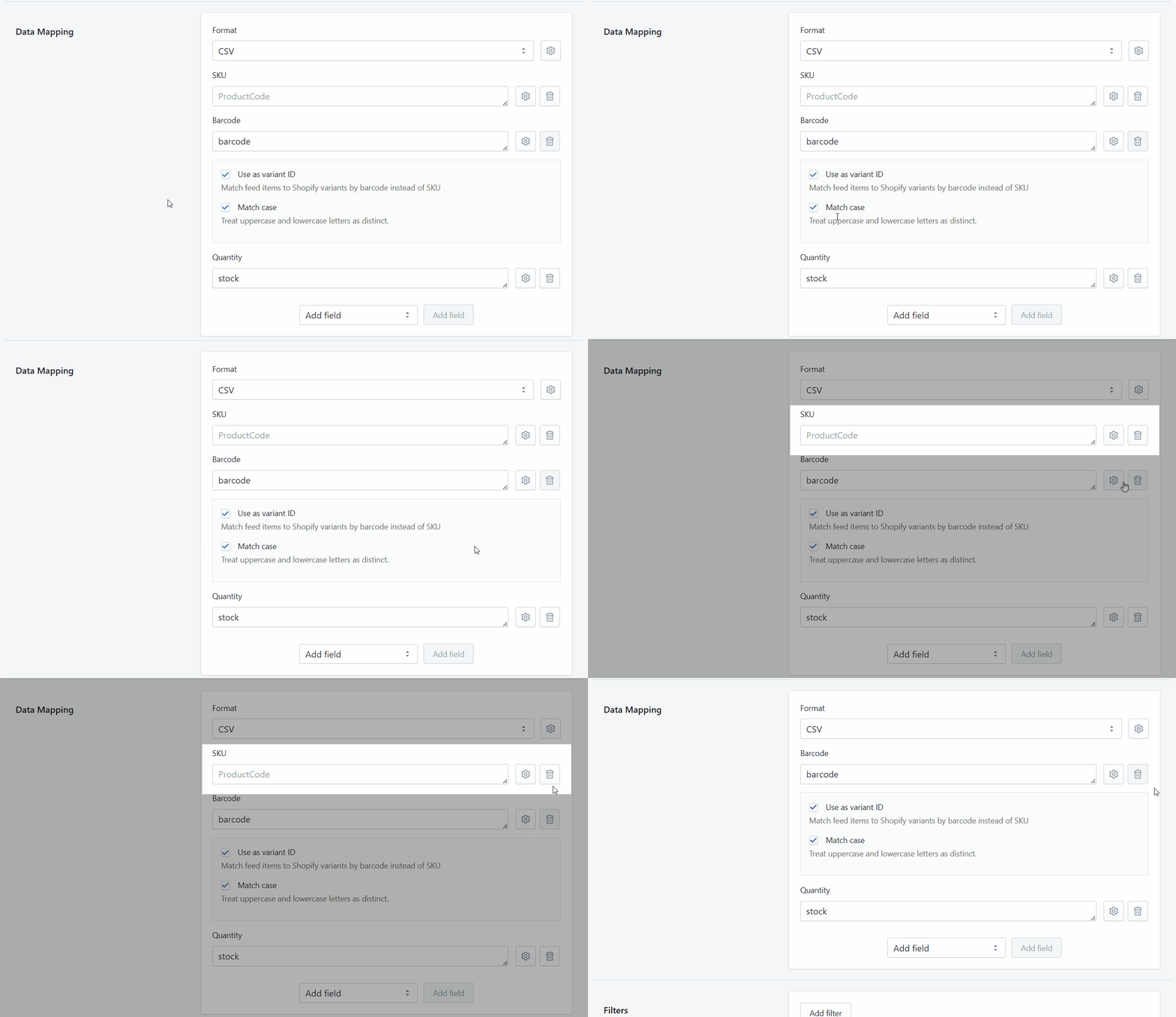
Once this is done, remove the SKU field from the Data Mapping section.
Removing the SKU field from the Data Mapping section in Stockeo
You can also use [metafields](/data-mapping/metafields.md) to identify variants in Shopify.