# Shopify Markets

**Shopify Markets** is a feature that helps merchants manage international sales from a single store by configuring currencies, languages, pricing, and domains for different regions.

**Shopify Catalogs** allow merchants to control which products and prices are available to specific markets, customers, or sales channels, enabling flexible product and pricing strategies.

Together, **Shopify Markets** define *where* and *to whom* products are sold, while **Shopify Catalogs** define *what* products and prices are offered within each market, allowing precise control over international storefronts.

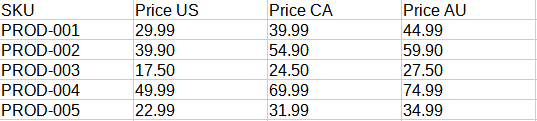
Stockeo allows you to update product prices in specific catalogs based on pricing from the feed.

<figure><img src="/files/hTemrCJw2y8B0OvyzBGK" alt="Example of a CSV feed containing separate price columns for different Shopify markets"><figcaption><p>Sample CSV feed showing different prices assigned to multiple markets</p></figcaption></figure>

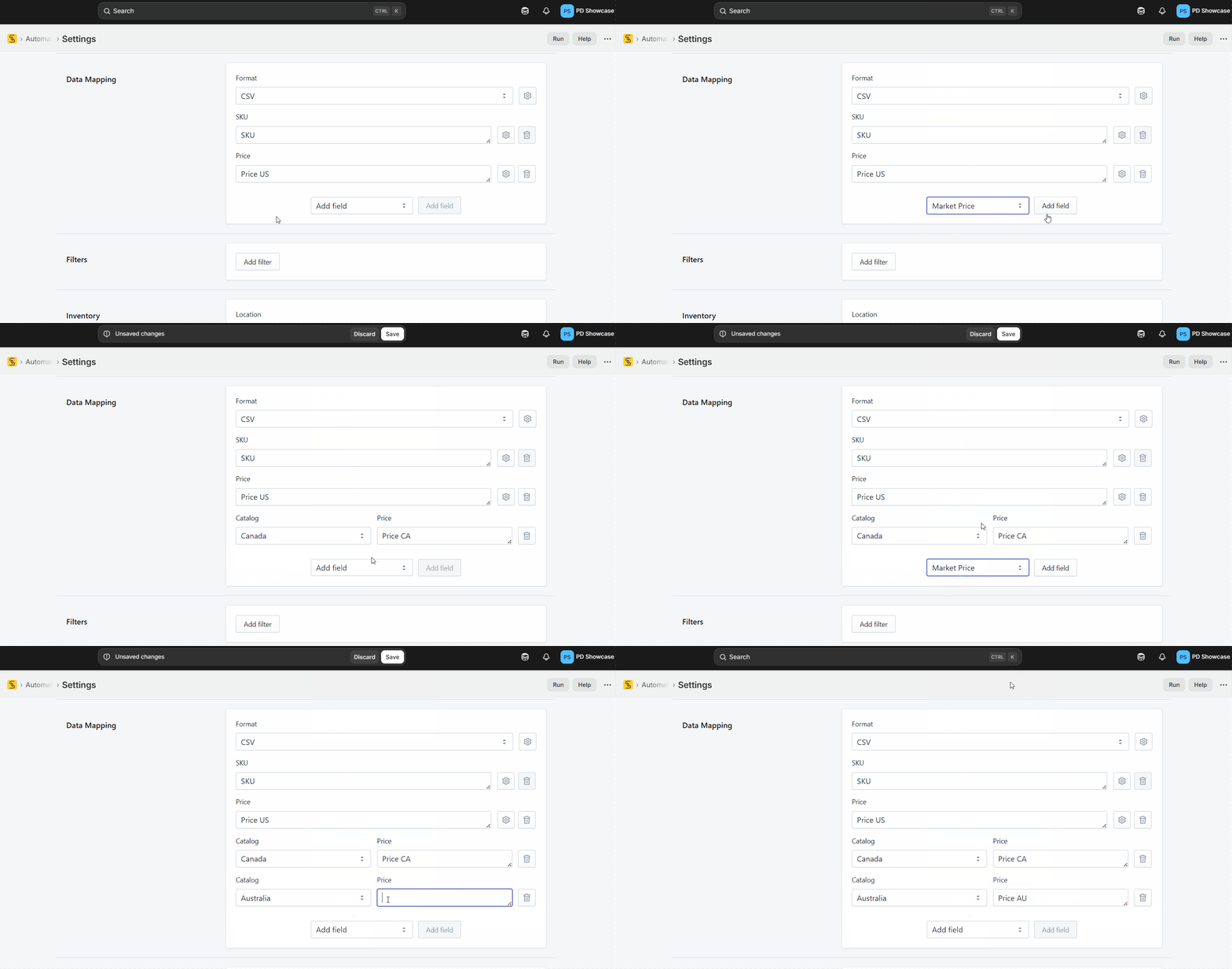
Add the **Market Price** field to the **Data Mapping** section. Select the catalog for which you want to update prices, then enter the field, node, or column from the feed that contains the corresponding price.

<figure><img src="/files/fMaa8mJbEHZxkzwLsGJk" alt="Animation showing how to configure data mapping for different Shopify Markets catalogs"><figcaption><p>Example of setting up price mapping for Shopify Markets catalogs</p></figcaption></figure>

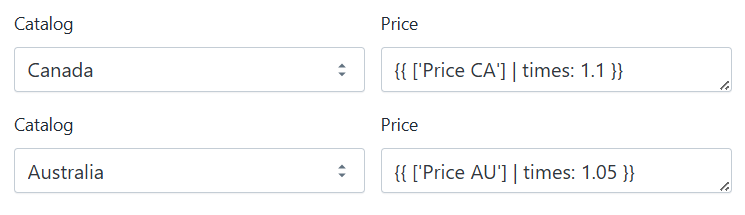
If you want to add a markup to prices imported for individual catalogs, you can apply a Liquid formula directly in the **Price** field.

<figure><img src="/files/2qMxQGJADWoNc8VMvvRt" alt="Market Price field in Stockeo Data Mapping showing a Liquid formula used to add a markup to prices for a specific Shopify Markets catalog"><figcaption><p>Applying a Liquid formula to add a price markup for a Shopify Markets catalog</p></figcaption></figure>


---

# Agent Instructions: Querying This Documentation

If you need additional information that is not directly available in this page, you can query the documentation dynamically by asking a question.

Perform an HTTP GET request on the current page URL with the `ask` query parameter:

```
GET https://help.stockeo.solvenium.com/data-mapping/shopify-markets.md?ask=<question>
```

The question should be specific, self-contained, and written in natural language.
The response will contain a direct answer to the question and relevant excerpts and sources from the documentation.

Use this mechanism when the answer is not explicitly present in the current page, you need clarification or additional context, or you want to retrieve related documentation sections.